Uncurious case of broken static export and 404’s in Next.js 16
Upgrading to a new major version of a framework is rarely too much fun. You may quickly find yourself wondering if you got lucky and all the problems have already manifested themselves, or if you’re not hitting the right triggers yet.
We’ve been using Next.js in static export mode for our website. With the
most recent upgrade to Next.js 16, one problem quickly manifested itself with
multiple 404 requests showing up in the network inspector.
Prefetching RSC in Next.js
If you have used Next.js, you may know that the <Link> component used for
intra-site navigation will by default prefetch its target content when it’s
within the viewport. What it fetches is called the React Server Component (RSC)
payload, which contains a prerendered representation of the server component.
RSC payloads are specialized binary data, but they are conventionally
represented as .txt files over the wire.
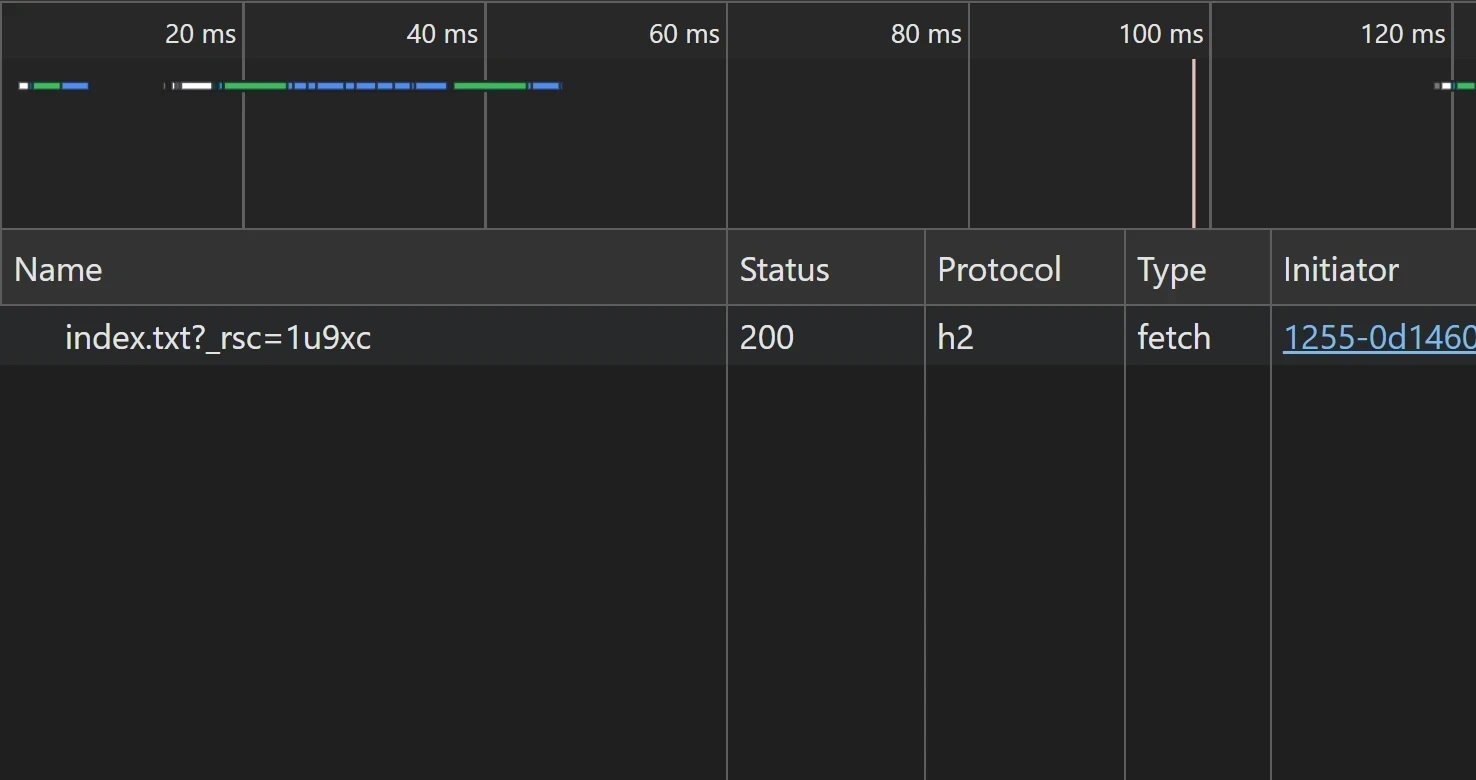
Prior to Next.js 16, a typical prefetch would ask for a single file:
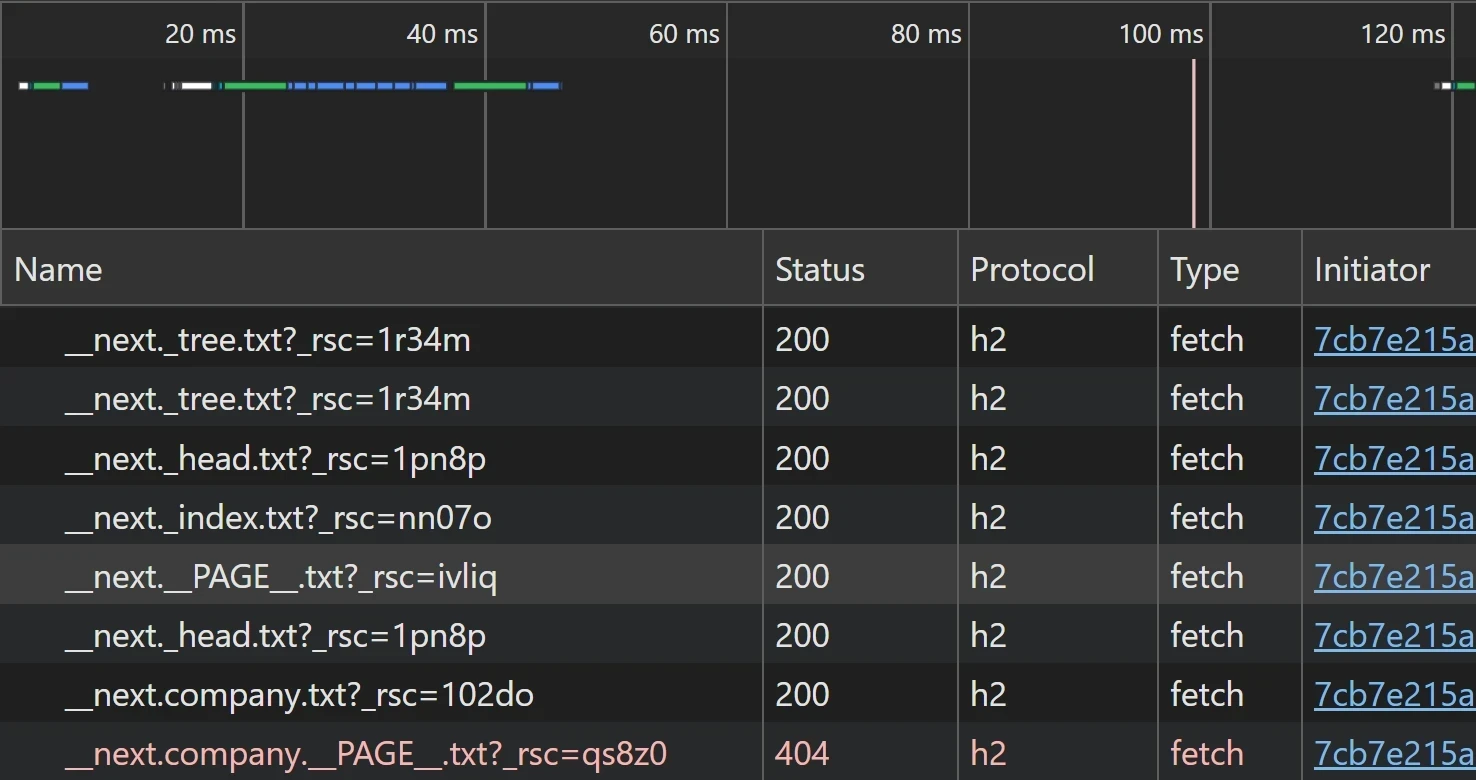
In Next.js 16, the picture changes dramatically:
Now, what has really changed, except for the number of requests?
Next.js 16 has a new feature called Cache Components,
and its implementation has overhauled how RSC is fetched, even if the feature is not used.
In the new fetch structure, different segments are now fetched separately, comprised of
parts like __next._tree.txt, __next._head.txt, and __next._index.txt.
The problem: 404 requests to RSC
As you might have noticed, some of those requests now result in 404 errors. While those errors don’t crash the application, they effectively disable prefetching and degrade the user experience.
So what’s causing that? As it turns out, there is a mismatch between the on-disk generated files and the URL paths requested during the prefetch:
- The on-disk path is:
__next/company/__PAGE__.txt(nested directories). - The request path is:
__next.company.__PAGE__.txt(dot-separated filename).
The root cause seems quite unremarkable, and there is an existing bug report upstream. Apparently, the path construction logic diverged between the client router and the build output.
The workaround: a build adapter
Until the fix for the core issue arrives, the problem can be worked around.
The new segment cache still feels experimental, so why not tackle it with another experimental feature? Next.js 16 introduced build adapters, so let’s use one to rename the files and put them into their expected places.
Add this module somewhere in your source tree (e.g., build/adapter.js):
const fs = require("fs");
const path = require("path");

/** @type {import("next").NextAdapter} */
const adapter = {
    // https://github.com/vercel/next.js/issues/85374
    name: "fix-issue-85374",

    async onBuildComplete({ outputs }) {
        for (const file of outputs.staticFiles) {
            const sourcePath = file.filePath;
            const targetPath = fixupPath(sourcePath);
            if (targetPath) {
                await fs.promises.rename(sourcePath, targetPath);
            }
        }
    }
};

function fixupPath(filePath) {
    const components = filePath.split(path.sep);
    const idx = components.findIndex(x => x.startsWith("__next."));

    if (idx >= 0 && idx < components.length - 1) {
        // Flatten rest of the segments into single dot-separated name.
        const result = components.slice(0, idx);
        result.push(components.slice(idx).join("."));
        return result.join(path.sep);
    }
    else {
        return null;
    }
}

module.exports = adapter;
Then, reference it from your next.config.ts:
import { NextConfig } from "next";

const config: NextConfig = {
    output: "export",
    // … other configuration
    experimental: {
        adapterPath: require.resolve("./build/adapter.js"),
    }
};
This forces the nested file paths to become the flat, dot-separated filenames the client expects.